 More by Sachin
 Pitch your Startup, App or Hardware or post a Startup Event or Startup Job
Company profile:
Startup name: ScreenSnap Pro
Tagline: Screenshots That Actually Look Pro
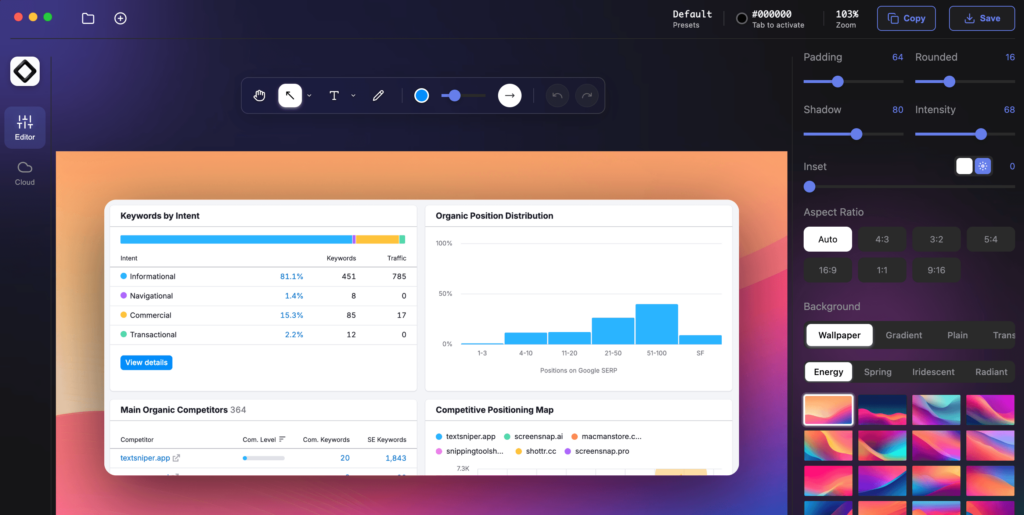
Elevator Pitch: ScreenSnap Pro is a screen capture and recording tool for Windows and macOS. Capture screenshots, GIFs, and videos, annotate with OCR and editing tools, then share instantly with a one-time lifetime purchase.
Target Market: Developers, designers, marketers, educators, content creators, technical writers, QA testers, customer support teams, and professionals who regularly create screenshots and screen recordings.
How will you make money?: $39 Lifetime License
How much capital have you raised?: None
Website: https://www.screensnap.pro/
City/Country: Porto
AI-assisted summary:
ScreenSnap Pro is a screenshot and screen recording application designed for macOS and Windows users, particularly developers, designers, and content creators. It offers features like professional annotations, customizable backgrounds, and instant cloud sharing, all for a one-time purchase fee. (Source: https://www.screensnap.pro/)
The Problem and Target Users
Professionals often rely on screenshots and screen recordings to communicate ideas, report issues, or create tutorials. However, default tools may lack advanced features such as annotations, aesthetic enhancements, and efficient sharing options. This can lead to time-consuming workflows and less effective communication. ScreenSnap Pro addresses these challenges by providing a comprehensive solution tailored to the needs of developers, designers, and content creators. (Source: https://www.screensnap.pro/about)
The Solution and Key Features
ScreenSnap Pro offers a suite of features to streamline the capture, enhancement, and sharing of visual content:
- Screenshot Capture: Allows users to capture full screen, specific windows, or custom regions using customizable keyboard shortcuts. (Source: https://www.screensnap.pro/what-is-screensnap-pro)
- Screen Recording: Enables recording of any screen area as video or GIF, with options to include webcam, system audio, and microphone input. (Source: https://www.screensnap.pro/)
- Annotations: Provides 15 tools, including arrows, shapes, text, blur, and highlight, to enhance clarity and emphasis in captures. (Source: https://www.screensnap.pro/)
- Backgrounds: Offers over 160 professionally designed gradient backgrounds to make captures visually appealing. (Source: https://www.screensnap.pro/about)
- Cloud Sharing: Facilitates instant upload of captures to the cloud, generating shareable links for easy distribution. (Source: https://www.screensnap.pro/)
- Text Extraction (OCR): Allows users to extract text from any screenshot or image instantly. (Source: https://www.screensnap.pro/)
Business Model and Pricing
ScreenSnap Pro operates on a straightforward pricing model:
- One-Time Purchase: Priced at $29, which includes two licenses, each valid for installation on two computers (Mac or Windows). (Source: https://www.screensnap.pro/pricing)
- Lifetime Updates: Users receive all future updates at no additional cost, ensuring ongoing value without recurring fees. (Source: https://www.screensnap.pro/pricing)
- Cloud Services: Unlimited cloud storage for sharing captures is included, with no mandatory subscription. (Source: https://www.screensnap.pro/pricing)
Expert Take
ScreenSnap Pro effectively addresses the needs of professionals seeking an efficient and feature-rich tool for capturing and sharing visual content. Its one-time purchase model offers a cost-effective alternative to subscription-based services. However, potential users should verify the application’s credibility and security, as some sources have raised concerns about its trustworthiness. (Source: https://www.scam-detector.com/validator/screensnap-pro-review/)
Note: Information based on publicly available sources at the time of writing, and summarized by AI.
Pitch your Startup, App or Hardware or post a Startup Event or Startup Job